
InterSystems
Cloud Start
Build your innovation with technology used by world's most important applications! We give you free access to our latest cloud offers:
InterSystems FHIR Server
A fully managed, enterprise-grade FHIR service, hosted on AWS and available in the US and Europe. InterSystems will securely manage health data, making it easy to develop innovative healthcare applications using FHIR.
Health Connect Cloud
InterSystems HealthShare Health Connect is a healthcare integration engine that delivers high-volume transaction support, process management, and monitoring to support mission critical applications.
FHIR Transformation Services
Automate the transformation of health care data to FHIR R4 resources and deposit the resources into a cloud based data repository.
HOW TO START
InterSystems Cloud Portal
Get production-grade healthcare information storage populated with sample patient data in few minutes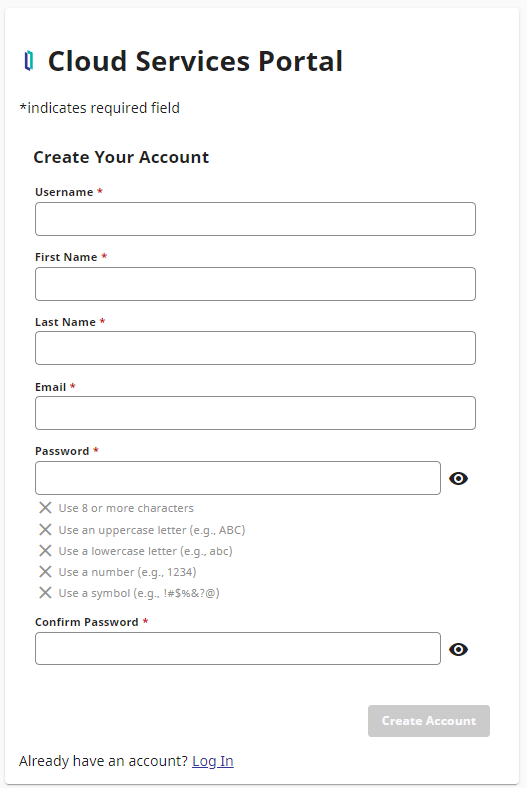
SIGN UP
Our journey starts with registering a new tenant on InterSystems Cloud Portal. Click on "Cloud Portal" link and enter your details to get access.
Cloud PortalYOUR DEPLOYMENTS
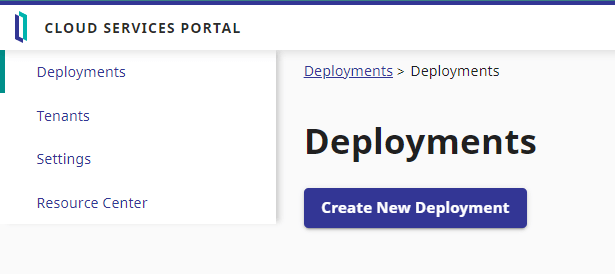
Once you confirm your email and log into portal, you will get redirected to Deployments page. Each deployment represents an independent healthcare storage powered by FHIR API, residing on a dedicated virtual server within one of cloud provider's data centers (at the moment we only support Amazon AWS). Let's click "Create Deployment" button to create our first deployment.
CREATE DEPLOYMENT
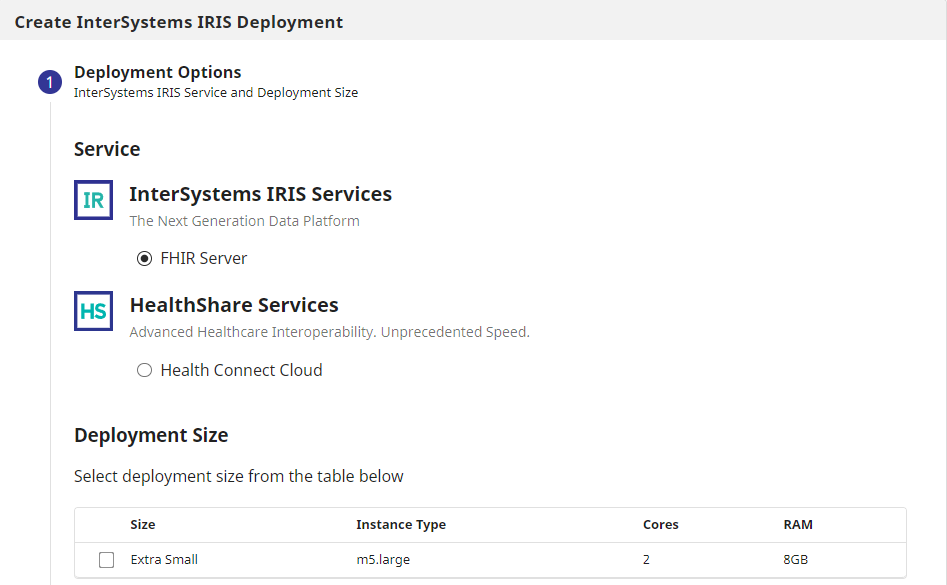
You will get access to Extra Small size FHIR Server and HealthConnect Cloud deployments. Don't worry, it has more than enough power for typical evaluation tasks, and if you need more for some reason, ask us and we'll resize it for you! Fill out the form on this screen and in about 10 minutes you'll get your own FHIR server.
DATA MANAGEMENT
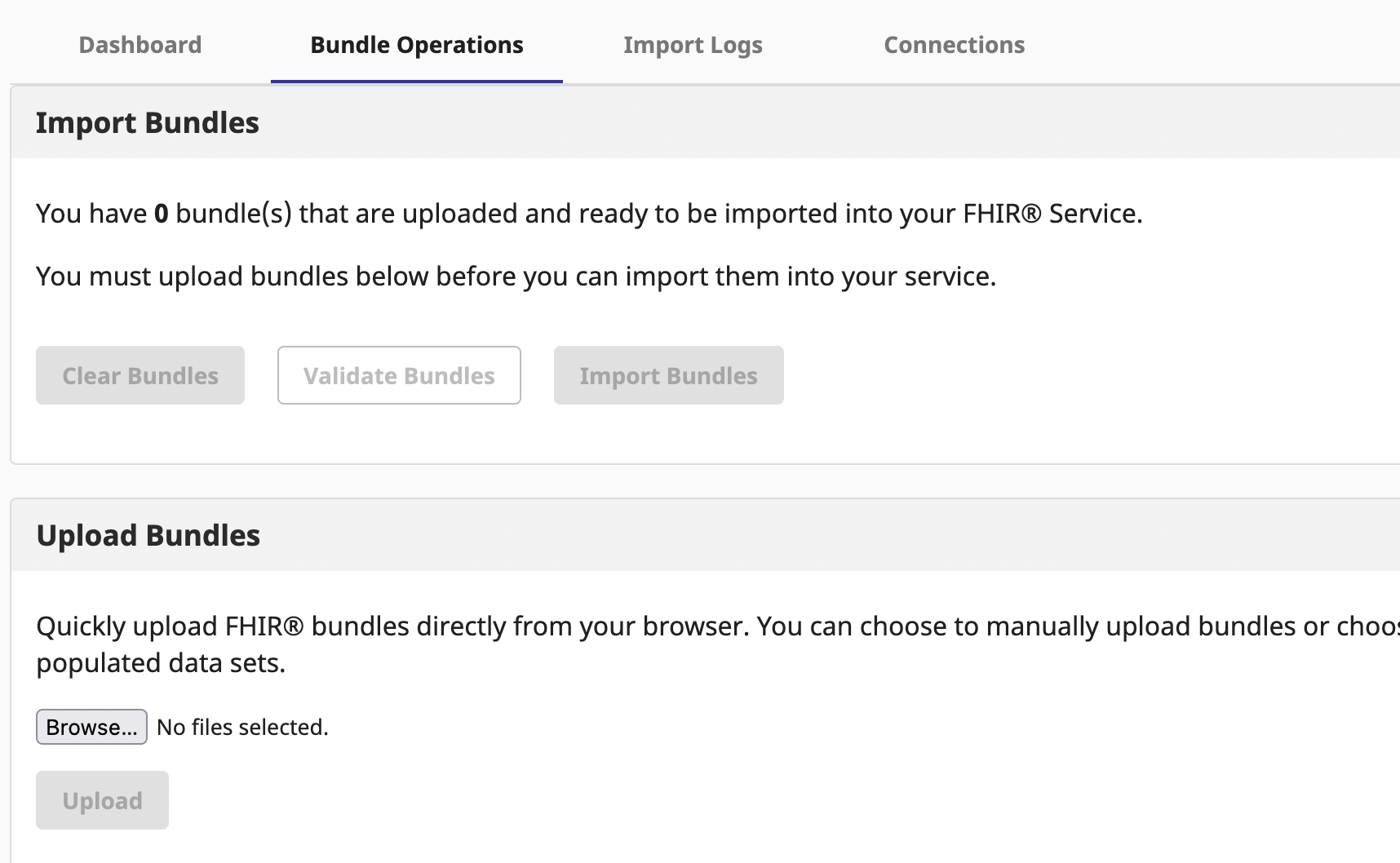
Depending on the project you have in mind, you might need some sample patient data in your storage. Once deployment is created and running, click on it and go to "Data Management" menu, and select "Bundle Operations" tab. This is where you can populate your server with sample patient databases, from relatively healthy patients to ones having specific health issues like Arthritis, Covid or Allergies.
API CREDENTIALS
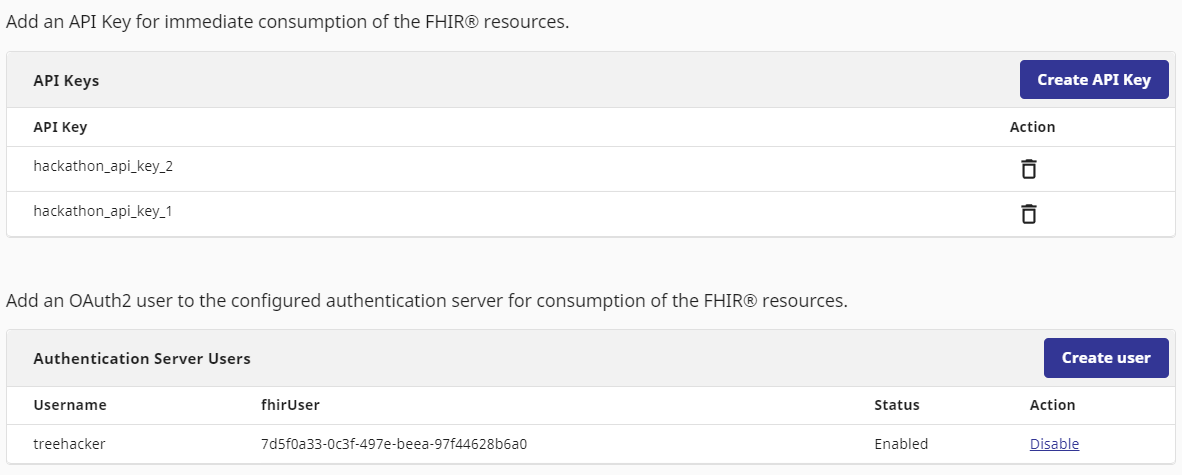
One more step before we can use our healthcare storage is to set up security -- by default no one has access to it! FHIR Server supports two security protocols you can use: API Keys and OAuth. For Summit we strongly recommend to use API Key approach because it's much simpler to set up and debug. Go to the API Keys page and create an API key.
QUERY DATA
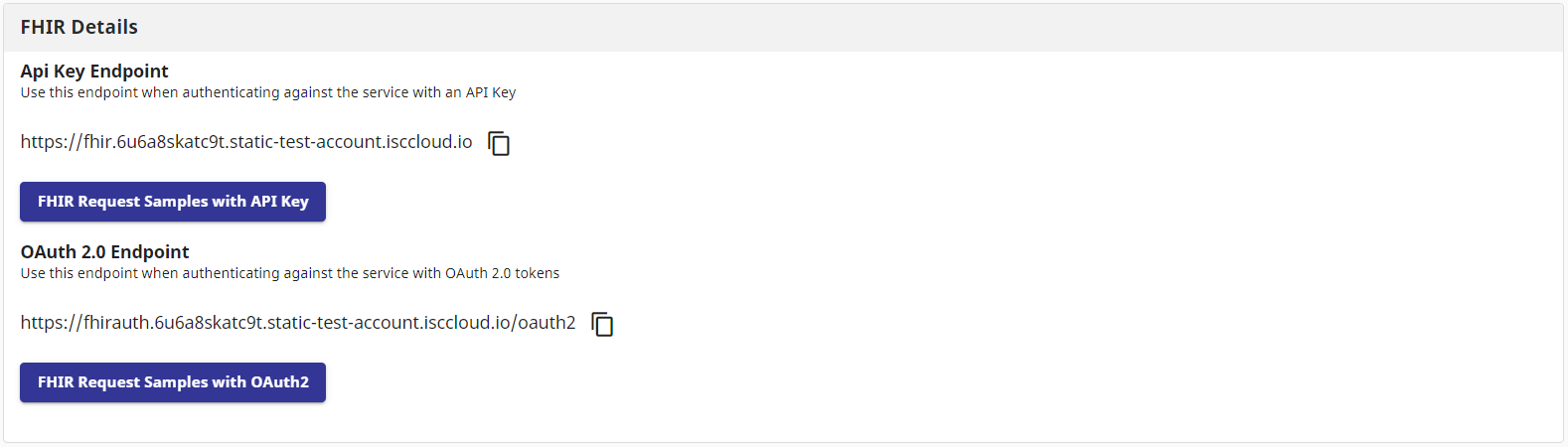
Congratulations, you now have fully set up your FHIR server! Go to the Overview page and click on "Samples with API Key" button to see some sample requests, and use "API Development" page to explore and try all available APIsYou can find some query examples here.
USEFUL RESOURCES
Learn More
WE OFFER THE BEST
Unique advantages for better experience
WE OFFER THE BEST
Do a few clicks of a button and 5 minutes later you have a fully functional server to build your solution. It's very easy and simple. Use your time to build your solution, not installing software.
Easy debug
Use a Developer Portal for understanding and testing FHIR APIs, using a Swagger-UI front-end, and easy access to all FHIR search parameters and documentation.
Accessible patient data
You can find several pre-loaded patient data scenarios to test your solution. There are thousands of synthetic patient data to make a rich presentation.






OUR TEAM
We are here to help!


Todd Sylvester
Director of Cloud Strategy